Instructor Guide
10: Adding multilingual content in model
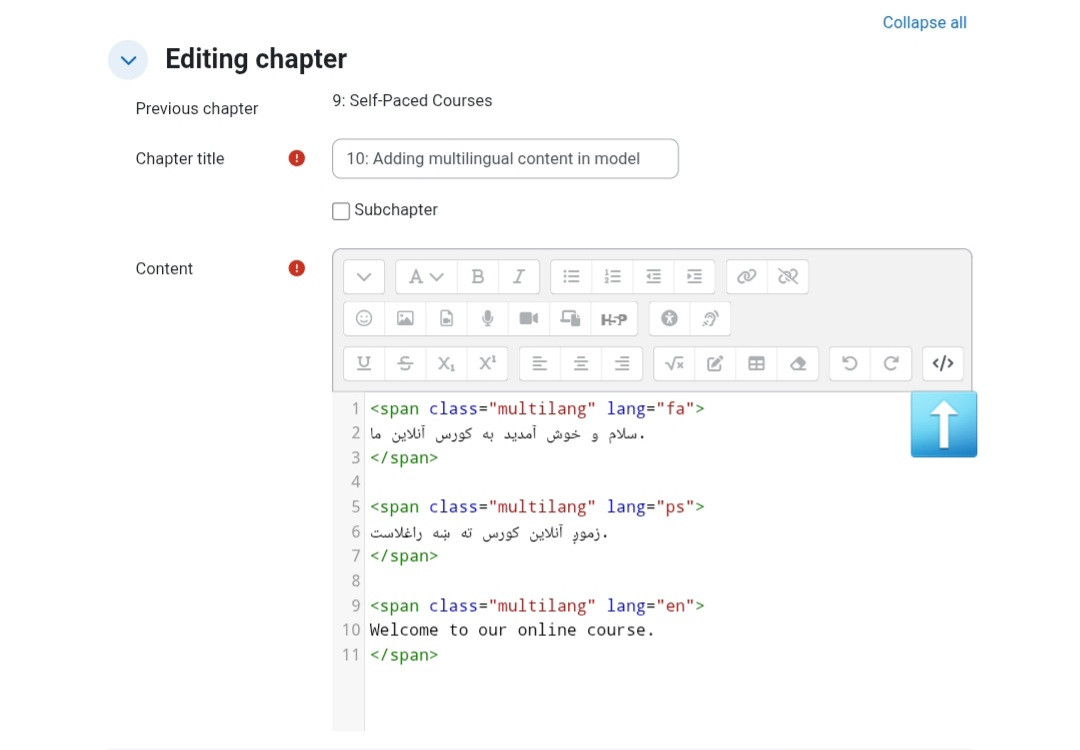
To add content in three languages (Dari, Pashto, and English) in Moodle, use the </> (HTML) option in the text editor when creating or editing content.Then add your text using multilang tags for each language:
- lang="fa" for Dari
- lang="ps" for Pashto
- lang="en" for English
After saving, Moodle will automatically display the appropriate text based on the user's selected language.
📌 Always make sure each language text is placed inside its correct language tag.
📌 Example image / نمونه تصویری: